


It is vital to ensure successful container creation in any Kubernetes environment. However, this is also the point where users often face different kinds of errors due to various factors. In this post, we will focus on how to identify and debug CreateContainerConfig errors that occur while creating containers.
What is the CreateContainerConfig Error?
The CreateContainerConfig error is encountered while trying to create a pod in a Kubernetes environment. As the name suggests, this error refers to a failure when creating the container in a Kubernetes Pod.
The most probable reason for this error will be a missing ConfigMap or Secret in the configuration YAML file. For instance, the YAML file might be referencing an incorrect or nonexistent ConfigMap or Secret while creating the container.
How to Debug the CreateContainerConfig Error
In this section, let us simulate the CreateContainerConfig error to gain a better understanding of this error. We can achieve this by creating two Pod configurations, one referencing a missing ConfigMap while the other referencing a missing Secret.
Missing ConfigMap
First, let us create a pod called configmap-test which refers to a missing ConfigMap called test-config-map as shown below.
configmap_pod_example.yaml
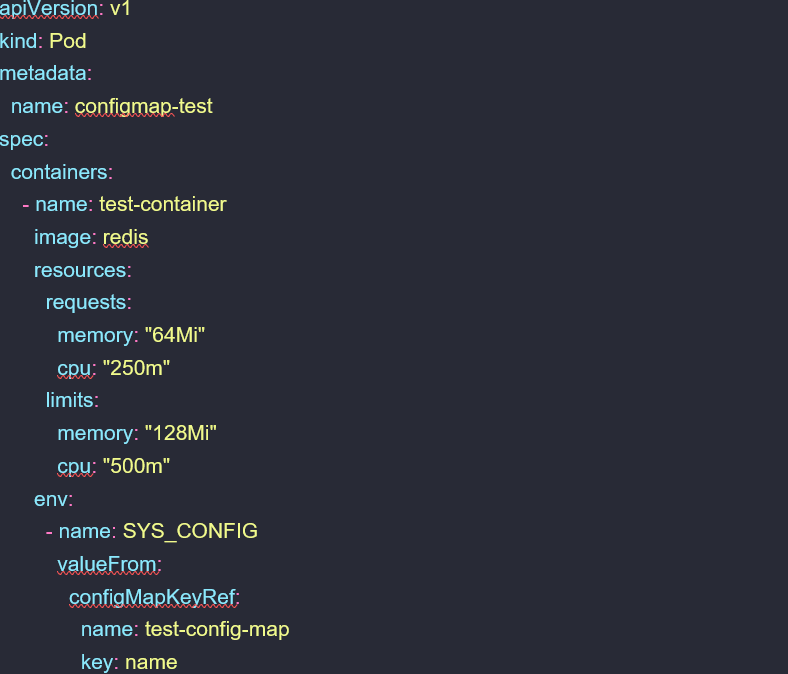
If we look at the pod information after applying this configuration, we can see that the pod indicates a CreateContainerConfig error.


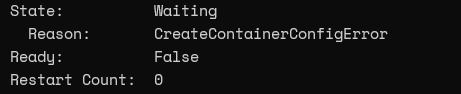
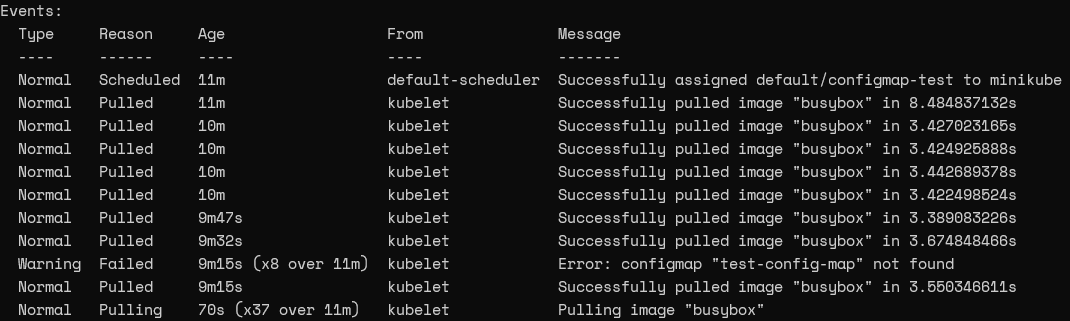
We can get a better understanding of the events surrounding this error using the describe command. The container state and reason of the output will reflect this error, while the event log indicates a warning informing the user that the specified configmap was not found.

Container State
Events
Now let’s check the Kubernetes cluster to see if the ConfigMap “test-config-map” is available.


According to the above output, the reason for the container creation failure is a missing ConfigMap. Likewise, we can easily identify the root cause for CreateContainerConfig error using the describe and get configmap commands.
Missing Secret
Now let’s create a Pod config that will reference a nonexistent secret called “system-secret” and try to mount that secret as a volume.
secret_pod_example.yaml
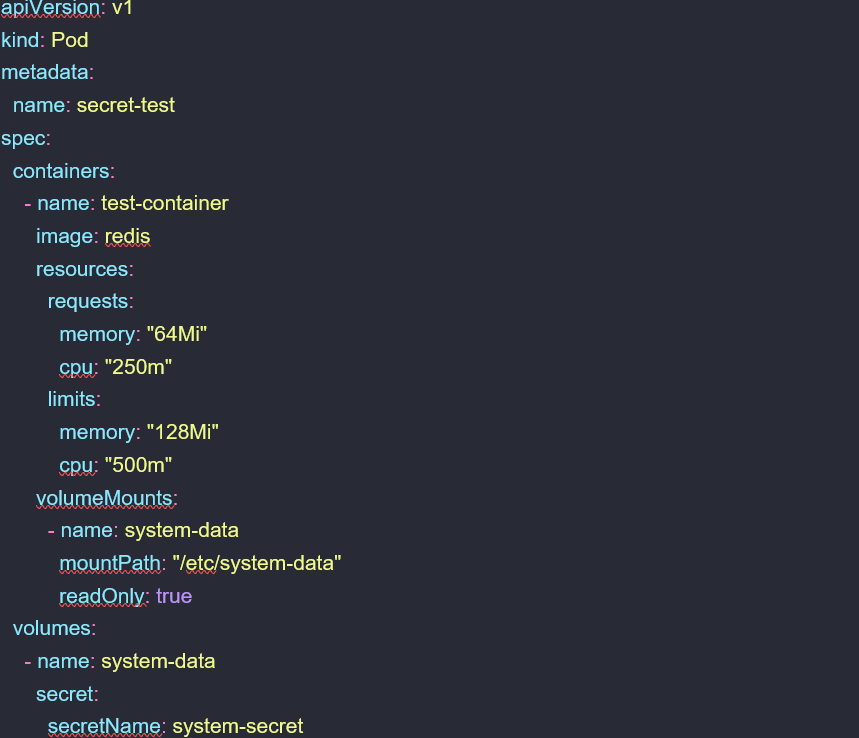
If we look at the pod after applying the above configuration, we can see that the pod is stuck with “ContainerCreating.” It also indicates that there is an error in the container creation process.


Now Let’s use the describe command to get a clear picture of the container and identify the root cause for the error. The output will show the container state as “Waiting” with “ContainerCreating” as the reason. Furthermore, the events section shows that the mount has failed due to a missing secret.

Container Status
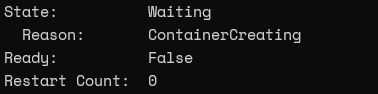
Events

If we check for the required secret, Kubernetes will indicate that the specific secret is not available.


The outputs of the description and get secret commands will indicate the root cause for this error as a missing secret file. The only difference is the error indicator which will be shown as CreateContainerConfig with the missing configmap while it will be ContainerCreating with a missing secret. However, both cases have the same root cause of a missing resource reference.
Remedying the CreateContainerConfig Error
Since now we know how to identify the root cause for this error, let’s move on to fix the issue. For that, simply create the missing resource references or provide the correct resource name in case of an incorrect resource assignment.
We have referenced nonexistent resources (configmap and secret) in the above examples. To fix this issue, we will create a ConfigMap for the configmap-test and a Kubernetes Secret for the secret-test pod, as shown below.
ConfigMap for configmap-test Pod

Secret for secret-test Pod
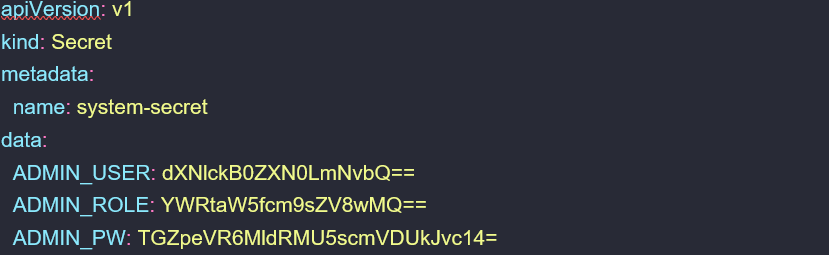
Note – The contents of the ConfigMap and Secret will depend on the user requirements and the container and Pod configurations.
After creating the ConfigMap and Secret, we can verify them using the kubectl describe command as shown below.


The final step is to recreate the Kubernetes Pods. The pods will be successfully created as we have created the missing configurations.


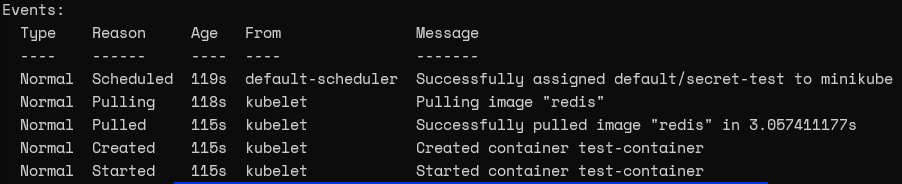
If we now look at the events of each Pod using the describe command, we can notice that there are no errors.
configmap-test Pod


secret-test Pod

Conclusion
The CreateContainerConfig error is a simple error that is easy to debug by simply checking the ConfigMap and Secret resource assignments. When debugging this issue, the most important step is to check the Pod configurations of the YAML file, as configurations depend on the user requirement and the Pod structure. Then users can identify any missing resources by comparing the configuration with the container logs and events and create or reassign them as required.
