

Artificial intelligence is more than just a buzzword – it’s changing how brands interact with customers. And there’s no slowing down in sight. Based on a study by Straits Research, AI-powered chatbots will grow at a CAGR of 23.9% over the next eight years.
But like any new technology, it’s important to keep your customers’ needs in mind when implementing AI-powered chatbots into your marketing, sales, or customer service arsenal.
In this post, we share five simple tips to help you improve your customer response rate when integrating AI-powered chatbots into your website.
Let’s dive in.
What is an AI-powered chatbot?
An AI-powered chatbot is a digital assistant that uses artificial intelligence to interact with customers. In the past, chatbots were limited to predefined responses and keywords. But now, thanks to advances in machine learning and natural language processing, you can build a chatbot that learns from the people it interacts with and adapts itself accordingly. AI technology allows it to better understand what its users want and respond more naturally to their needs over time.
You can use a chatbot to:
- Automate lead generation: Use chatbots to send targeted messages to people who have expressed interest in your products or services by collecting their email addresses on your website. You could also use chatbots to collect data from prospects, like phone numbers and names – allowing you to reach out directly later.
- Provide customer service: Answer questions from customers, give them the information they need to make a purchase decision, or resolve issues they may have with your product or service.
- Order tracking: Chatbots are perfect for keeping track of order status if your company sells products online. They can remind customers when orders have shipped and tell them when to expect their package. It’s also great for giving customers shipping updates if there’s any delay with their order.
- Help your sales team: Close deals faster by providing product recommendations based on previous searches while answering basic questions that might lead buyers away from purchasing products.
There are plenty of ways that AI-powered chatbots can help automate your business workflow. But you can’t just install a chatbot and walk away. You need to optimize it to encourage customer response and increase engagement rates.
Let’s look at five simple tips to get your customers to respond.
1. Craft a tactful and conversational opening message
The opening sentence of your chatbot should be relevant to the customer and makes them feel comfortable. You have seven seconds to make a good first impression. And first impressions are worth their weight in gold.
- Use upbeat language – warm and inviting is the name of the game.
- Don’t be too formal or casual – find a balance that works for you and your brand.
- Keep it short – wordy messages are hard to read and increase bounce rates.
- Add emojis – create an emotional connection with a smiley face or thumbs up.
The right copy will make the difference between keeping customers on your website and driving them to leave. But don’t fret. If copywriting isn’t your forte, you can hire a professional copywriter to help create the chatbot copy that establishes trust with customers. Or, if you are on a tight budget, there are plenty of free online tools available such as an AI writing generator or chatbot templates.
On the flip side, don’t be afraid of silence. If a customer doesn’t respond within a certain time, let them know they can come back later if they’d like. Silence isn’t always bad – sometimes, people get distracted or need additional guidance.
Try offering clickable prompts when the user has lingered for more than a few seconds. For example, the business building website Tailor Brands prompts the chatbot user to “get in touch” and leave contact details when the chat has sat idle for a few seconds.
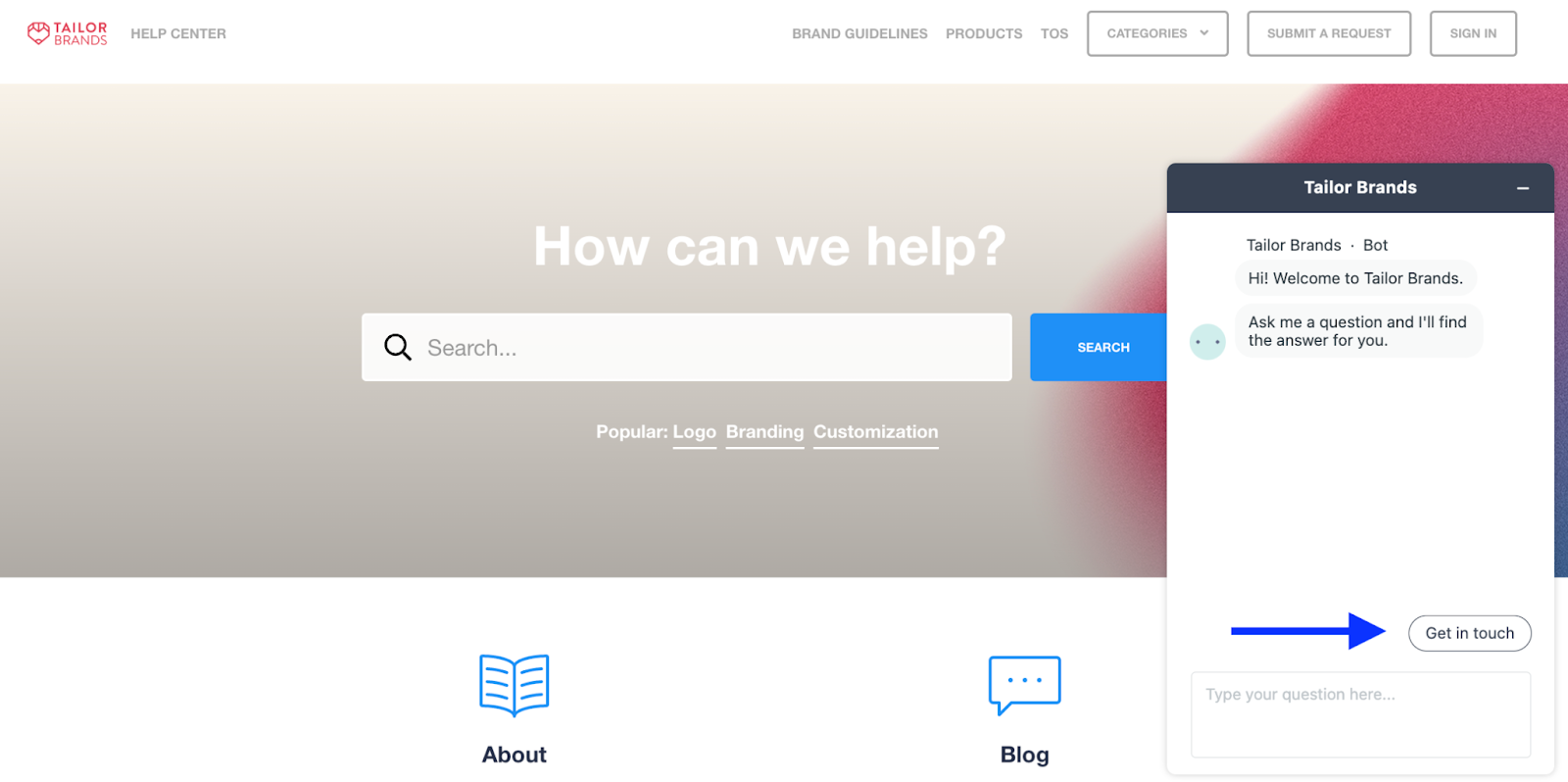
Your opening message is the first thing customers see when the chat box pops open. It needs to catch their attention and prompt them to take further action. If you see low engagement rates, test new opening lines to determine the copy that works best for your audience.
2. Include a call-to-action
Following right along, high-quality copywriting is key to building trust and grabbing your customer’s attention. Customers can’t act if they don’t understand what you want from them. Once you have their attention, they need to know what’s next. Providing a clear call to action is a simple way to boost conversions.
Peloton does an excellent job providing a simple AI-powered chatbot experience where users can easily click a CTA button that fits their wants and needs. Whether you need help purchasing a Bike+, downloading the Pelton App, or connecting with customer support, everything is right there at your fingertips.
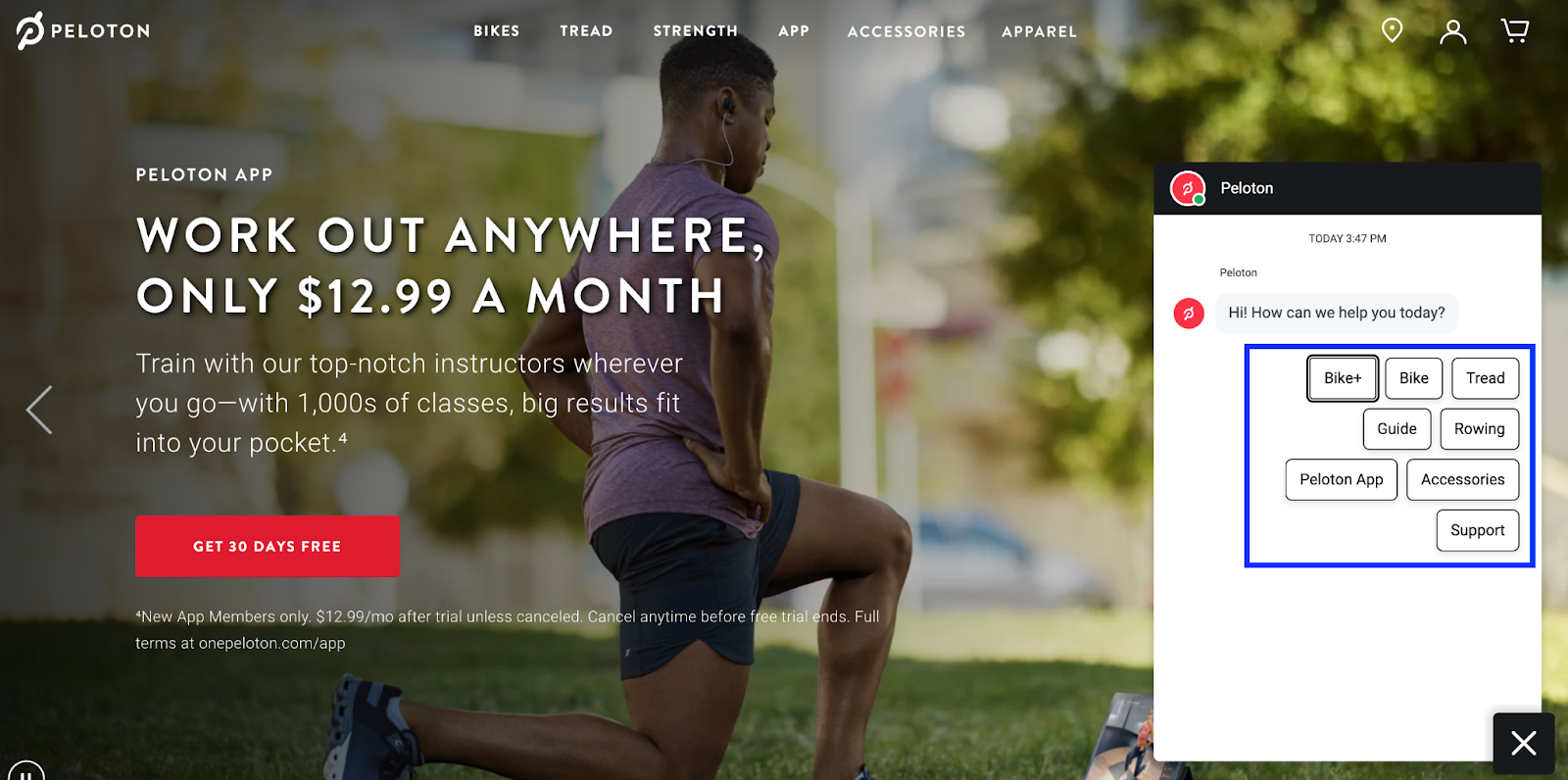
Once the customer clicks on your CTA, the next prompt is triggered. Everything is tied up in a nice neat bow without the need to lift a finger. And the great thing about AI-powered chatbots is that they can integrate with many different marketing automation tools so that you can provide a streamlined customer journey for an overall better customer experience.
3. Present multiple options to choose from
Providing options gives customers more control over their experience with your chatbot and helps direct them to the appropriate automation sequence.
Presenting relevant choices will help users feel confident with their selection, which could dramatically increase conversion rates. If they don’t feel confident, they might choose something other than what they wanted in the first place.
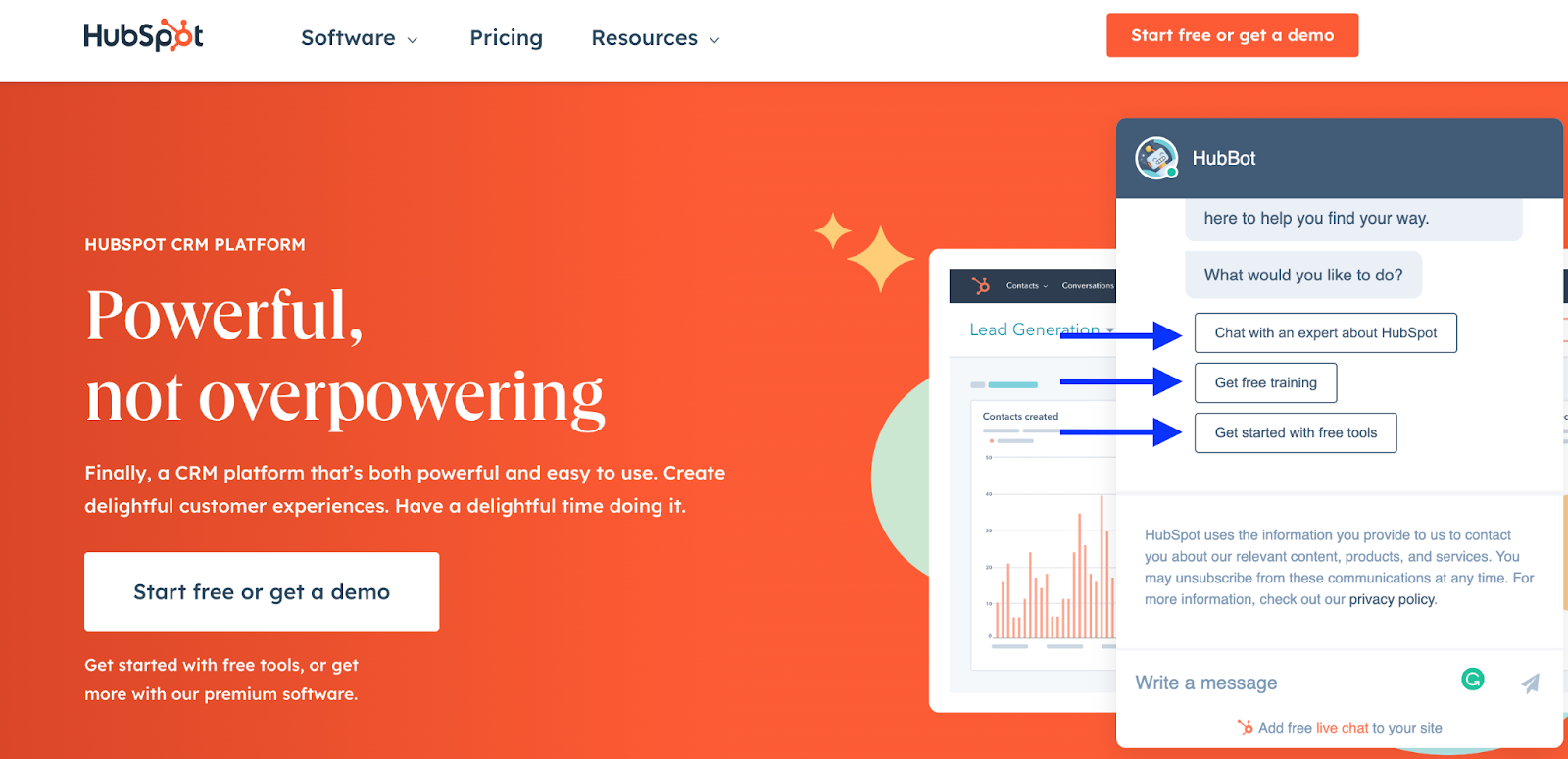
The HubBot by HubSpot does a nice job of providing a few simple CTA buttons for customers to choose from. By limiting it to three choices, HubSpot finds a happy medium for better engagement rates. Too many irrelevant options can overwhelm customers and make it more difficult for them to find what they are looking for.
4. Provide a personalized experience
Picture this scenario. Your flight has been canceled, and you’ve spent hours on hold waiting to talk with a customer service agent. An agent finally picks up the other line, but they have no idea what you are calling about if you are a loyal member, or anything about your flight details. They proceed with a generic script and ask you a million questions that completely waste your time and only make you more frustrated.
Say goodbye to this customer service nightmare. Thankfully, adding some personalized elements to your AI-powered chatbot is easier than you might think. All it takes is a little bit of AI programming to create a personalized customer experience that works.
Now you have all of the information you need to customize the chatbot greeting with the user’s name or keep track of what they’ve purchased in the past. Now you can recommend similar items or products that might interest them or automatically share their order status. With customer consent, you can leverage cookies to analyze your customer’s preferences and interactions with your website.
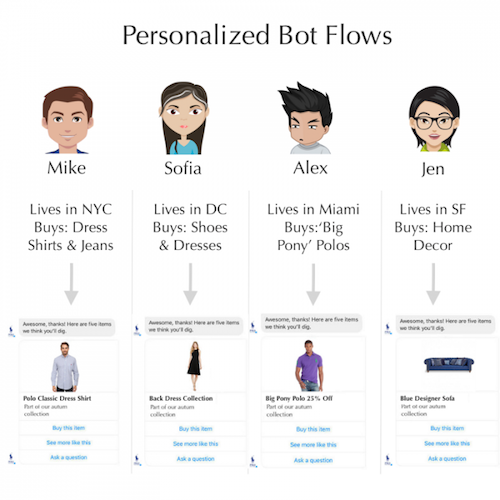
Personalized messaging is a foolproof way to increase customer engagement. According to Smarter HQ, 72% of customers are more likely to engage with a personalized message.
Thankfully, chatbots don’t only apply to eCommerce businesses. In fact, chatbots can be a very useful tool in the real estate industry to engage in conversations with prospects or leads that find your website through various digital marketing strategies. Luxury Presence, a real estate SEO company, recommends adding an AI-powered chatbot software to any agents’ websites to provide a personalized experience, build trust, increase engagement, and drive profitability.
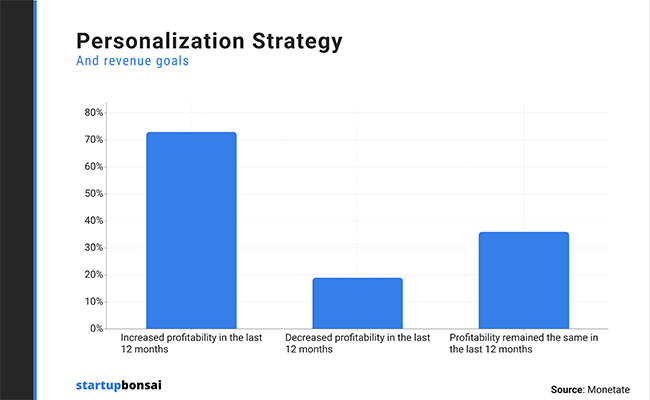
Personalization is the name of the game in the 21st century. Customers want to feel heard and don’t like being a number on a spreadsheet. Chatbots are a quick and easy solution to providing personalized interactions with customers.
5. Don’t skip out on the design
As you’re creating your chatbot, don’t just focus on the conversation aspect of it. Make sure to design your bot with the same care and attention you give to your website or app. To guarantee consistency, leverage a font generator to customize your chatbot to match your branding across all digital platforms.
Chat boxes don’t have to be black and white. Add a bit of fun and color by incorporating free vector images or creating custom avatars. Unique graphics help grab the user’s attention and encourage them to respond.
Dominos’ AI-powered chatbot, “Dom,” is more exciting than other companies with a custom avatar and background. Don’t be afraid to stand out from the crowd. That’s the whole point, right?
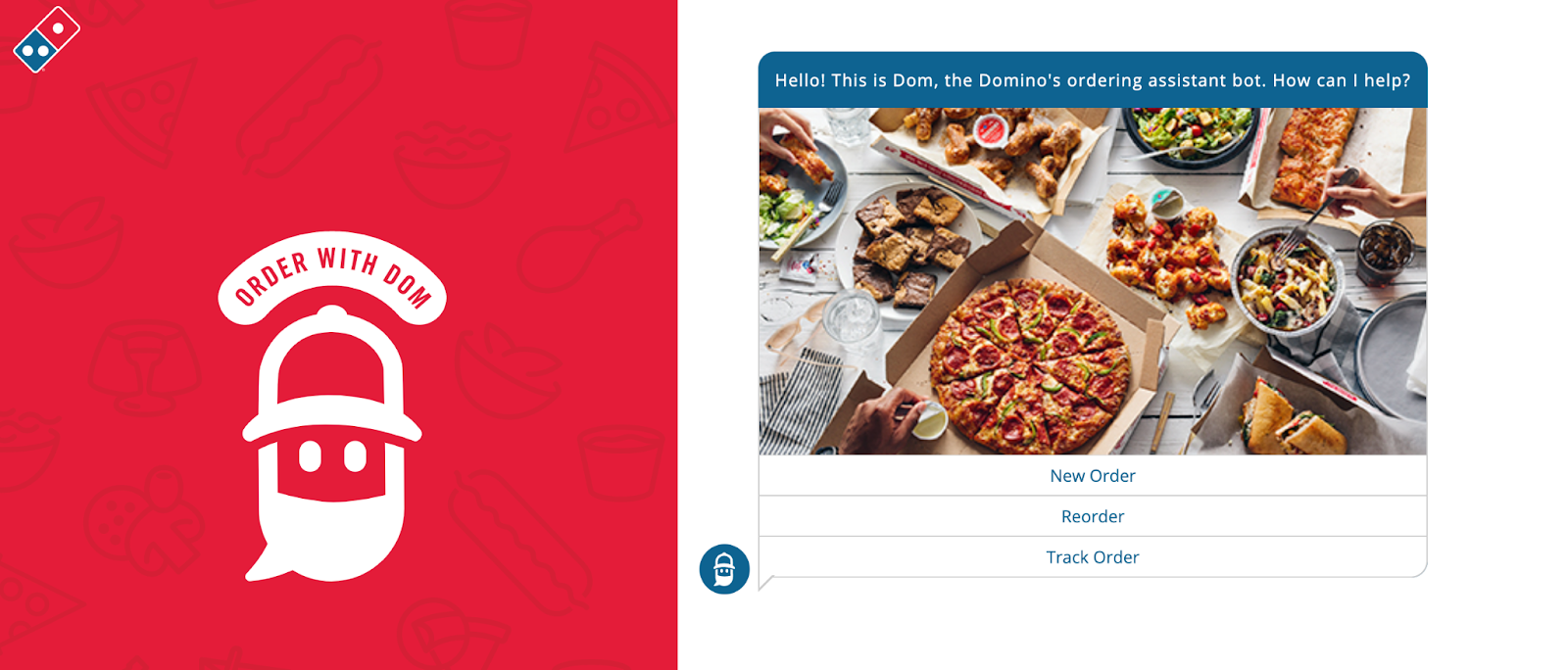
The design of a chatbot can make a huge difference in how comfortable customers feel interacting with it. If the design looks unprofessional or out of place, customers might not feel comfortable answering questions or interacting with it altogether.
Wrapping up
When it comes to building an AI-powered chatbot, the first steps are always the hardest. You may be wondering what type of language to use or how you can make your chatbot seem more human-like. The good news is that there are plenty of ways to make your bot sound more natural and personable so that people will want to talk with it.
With these simple tips, get ready to see engagement rates skyrocket like never before. AI is the way of the future. Don’t get left behind.
