


Accessible web design has slowly come to the forefront for businesses ”but doing it right is still proving to be a challenge.
Users representing myriad communities have been vocal about the lack of accessibility while accessing online resources and this is finally leading to change.
No matter what business sphere one exists in, being able to reach more users by incorporating accessible design is good business practice.
Not everyone accesses the online world in the same ways. Users with impairments ”cognitive, hearing, motor, speaking, and visual ”interact with sites differently.
We share a complete guide to adopting accessible design practices in 2020.
Simplifying Design

Simplicity in design isn’t just important for accessibility ”it also leans into the graphic design trend of minimalism that is taking over in 2020.
The clearer the visual layout, the better the user experience ”this is because it creates a definitive hierarchy of elements on the page.
To create a simple and accessible design, one should group similar elements, depending on how they relate to each other in terms of size and color.
Elements that follow one another should be placed in distinct hierarchies so users can easily understand how one section leads to another.
The website design should also include directional signage and icons to help users navigate the site with ease.
Responsive Web Design
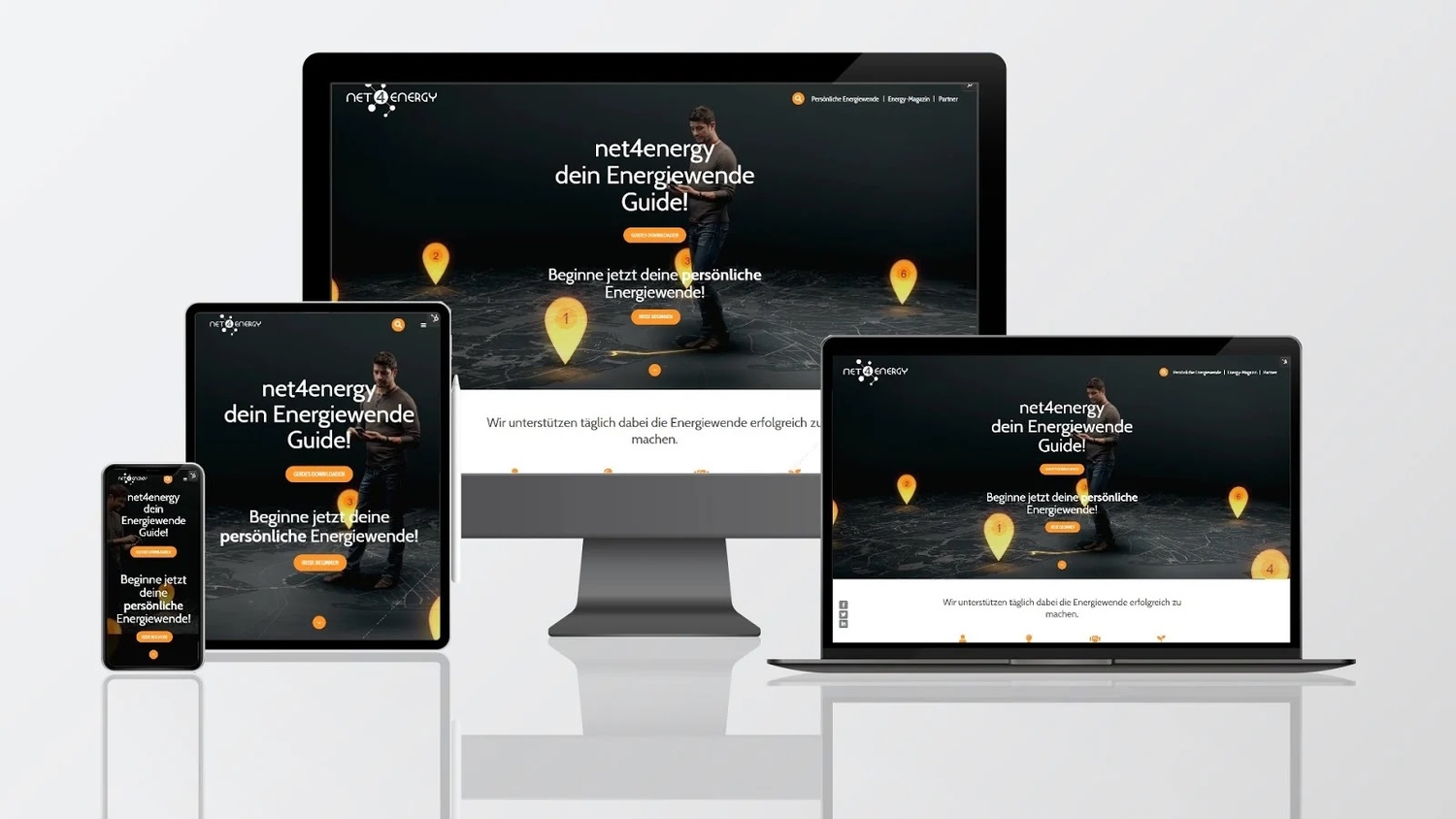
The steady rise in smartphone and tablet use has resulted in a greater focus on responsive design ”and this is also important for creating accessible designs.
Screens come in a variety of shapes and sizes, and designers should be aware of what information and elements are lost when viewed by different users on a variety of screens.
It is best to define the goals of each page ”implement a project management plan for redesigning your website with clear targets for the site pages.
Once these goals have been decided, you will be able to highlight select elements for smaller screens, and determine which can be safely hidden.
But implementing responsive design elements is only part of the process ”designers need to test them on multiple devices to ensure the functionality remains close to the web version.
Button Sizes
Speaking of responsive design, the smaller a screen becomes, the harder it can be for users to press buttons or icons on the page.
Accidentally pressing the wrong one can lead to frustration for all users ”but for people who need more accessible design, the experience can lead to them leaving the site entirely.
When designing CTA buttons for your website, ensure that they are large, and have enough space around them so they can be easily seen.
According to Google, the best size for buttons is 48x48px ”this is the recommended size for the most comfortable tap area.
Additionally, buttons should not include too much text ”a maximum of two words should be enough.
Font Sizes and Weights
Source: Venngage
Readable fonts are necessary for creating accessible designs ”if the font is too small, nobody will be able to read it. For users with visual impairments, that will be enough to leave the site.
According to Google’s guidelines, 16px is the smallest accessible and legible size for a website, so that should be the standard for designers.
The heavier and darker a font is, the easier it is to see ”light fonts can easily disappear into the background and make it impossible to read.
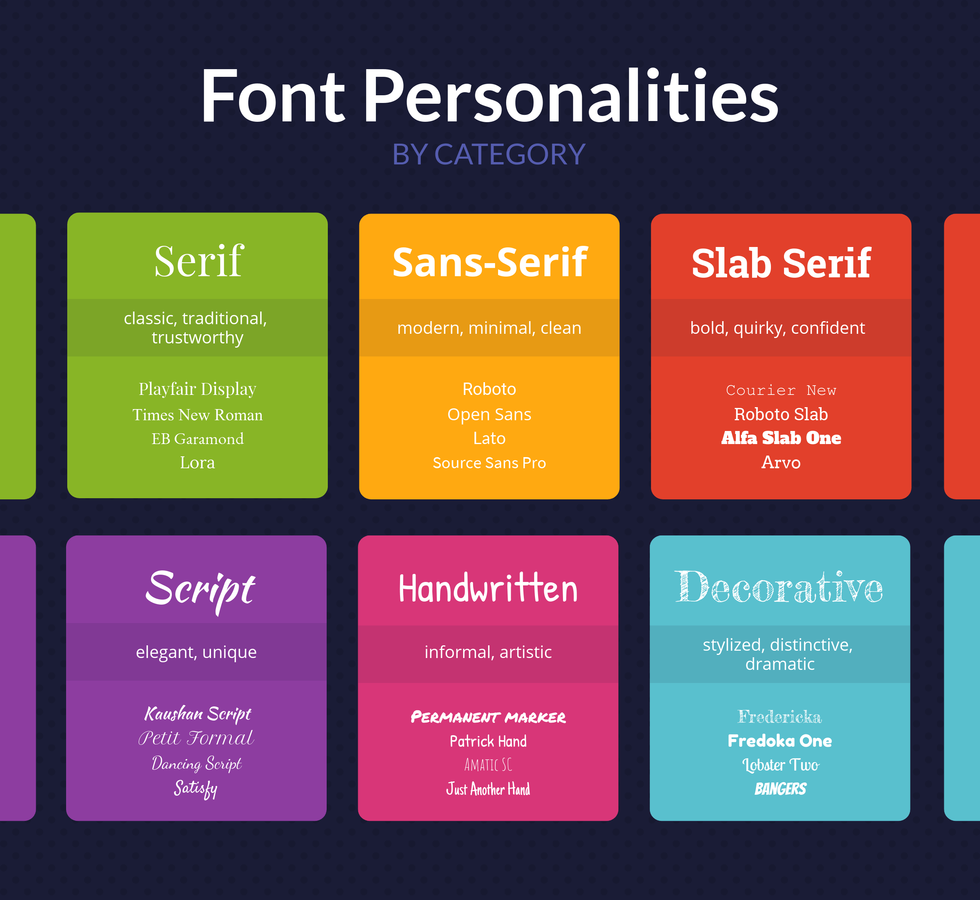
The kinds of fonts implemented need to be adjusted for users ”cursive fonts can convey a certain aesthetic but they are too light for some users and screen-readers to recognize.
Instead, use free web fonts like Roboto, Open Sans, or Alfa Slab One that are readable and popular ”so designers don’t need to load new fonts into their CMS.
But it isn’t just the kind of font one uses that matters in accessible design ”how one uses it also matters.
Hyperlinked words and phrases need to be made obvious ”ensure that they are underlined and are a different color so that users can see them easily and don’t accidentally click on them.
Anchor Text and Alt Tags
The anchor text for hyperlinks needs to be noted when creating accessible web designs. It isn’t enough to hyperlink to words like read more’ or click here’,
For screen-readers, when the anchor text and hyperlink don’t match, it can cause the user confusion.
Instead, the anchor text should match the URL as closely as possible ”if it can be an exact match, even better.
This process has an additional advantage for businesses ”not only does matching the anchor to the link make the site more accessible, but it also improves link building opportunities.
Alongside anchor text, designers also need to ensure that alt text or alt tags are optimized for accessibility.
All visual elements should include alt text that can be picked up by screen-readers ”the more descriptive, the better they enhance the user experience for anyone with visual impairments.
Content Structure and Captions
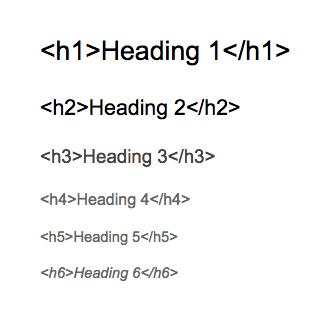
We have mentioned the importance of hierarchies in the way elements on the page are laid out ”but even within the content, there needs to be a clear hierarchical structure.
Screen-readers scan content according to how text is positioned and the headings sections are broken up.
To be as accessible as possible, content must be divided by distinct headers ”h1 title headings, h2 for subheadings, h3, h4, and so on, for further subheadings.
Not only do these headings make it easier for readers to follow the flow of the content, but screen-readers can organize the content accordingly.
Another way to improve accessibility is to add captions wherever possible ”videos and animations should always include descriptive captions, as should audio content.
Structuring content will improve the user experience and improve the conversion funnel.
Color Palettes

Source: Venngage
Colors are a massive part of marketing ”they are used to evoke emotions and connections that fuel brand relationships and conversion rates.
But while colors have several marketing uses, are they being optimized for all website visitors? What about people with visual impairments such as color blindness?
The guide above explains what colors should be used in conjunction with each other to be accessible to all readers ”contrasting colors are always more readable.
Another point to note for designers is not to use color as the sole indicator for actions, directions, or differences.
Instead, use text for labels, placeholders, and buttons so users know how they are differentiated from other elements.
Also, add clear notifications within form makers when a field is mandatory or there is an error ”do not rely on color to convey these as it may not be clear and will lead to frustration.
User Control
When creating accessible designs, it is important to give users flexible controls over the website.
Add toggles to change the size of the font ”if users need larger than standard font sizes, they should be able to make that change to make it easier to navigate the site.
Page layouts accessed on web browsers and mobile should be scalable so that users can zoom in and out as needed.
Always remove autoplay settings for audio and video on the website ”give users the option to turn on the sound if they want.
Avoid timed forms as much as possible ”if it is necessary to add a timer, give users the option to take more time, and clearly state how much is allotted.
Most website builders give designers control over these aspects ”make use of them to improve accessibility.
Conclusion
Accessible design needs to be a priority for businesses ”not only does it enhance the user experience, but it allows brands to reach wider audiences.
With the above guide, designers can create more inclusive websites that will appeal to more audiences and improve long-term conversions.
