


If you take a look around, you’ll notice that parts of our world operate in a way to promote inclusivity for people with disabilities. Buildings often have ramp entrances, guide rails, and elevators for visitors that have limited mobility. Signs and plaques outside of bathrooms have braille writing for the visually impaired.
The reason why many businesses have these types of features is due to the Americans with Disabilities Act – which was passed to provide accessibility for everyone. However, no such law has been passed for online businesses “ yet.
The current legislation put into place is known as section 508 compliance. This requires that any type of website or online technology published by an American federal agency must meet specific online accessibility standards. Other countries are following suit with similar legislation.
But just because you are not legally required to create an accessible website “ it doesn’t mean that you shouldn’t! Accessibility is more important than ever before, especially considering that 71% of disabled users will exit a website if it is not fully accessible to them.
However, this same study also found that 80% of disabled users also stated that they would choose to purchase from a website with the highest accessibility “ even if their products were more expensive.
Accessibility can help you reach new audience segments and increase conversions. Furthermore, creating a website that meets WCAG (Web Content Accessibility Guidelines) can offer you numerous additional benefits, including:
- Higher ranking signals thanks to improved Schema markups and sitemaps
- Faster loading speeds due to reduced server load
- Enhanced user experiences
- Improved design layouts and color schemes
But this begs the question: how can you make your website more accessible to receive these benefits?
Here are some examples of ways that online businesses are adjusting their own platforms for a more inclusive experience that welcomes all customers.
Accessibility Options for Navigation
Users with limited mobility or visual impairments are not able to navigate through a website with a traditional mouse or even a touch screen. Oftentimes, they will use either a keyboard or a specific device to navigate through a website using a tab button to highlight their selections.
Websites need to be made so that users can navigate with non-traditional tools, like a keyboard or other devices for disabled users. Typically, most website platforms are not equipped with this type of functioning “ but it can be fixed by enabling: FOCUS styles for elements within the page through some simple coding changes.
American Eagle’s website offers this option directly on their home page. Users can simply turn this function on to navigate using the TAB, SHIFT, and arrow buttons.

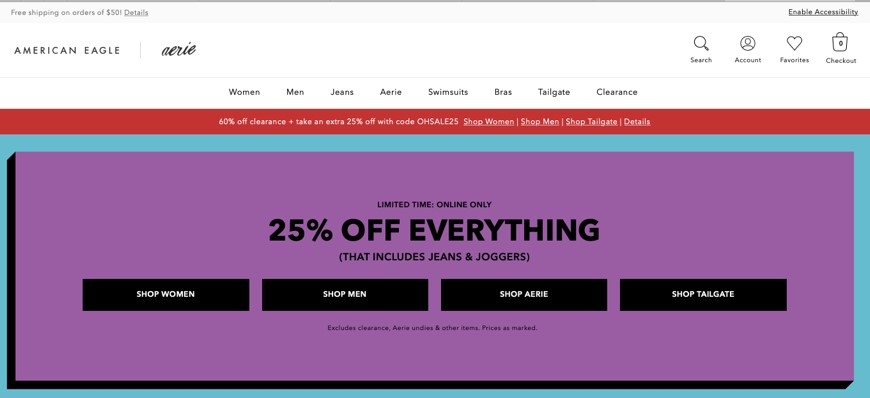

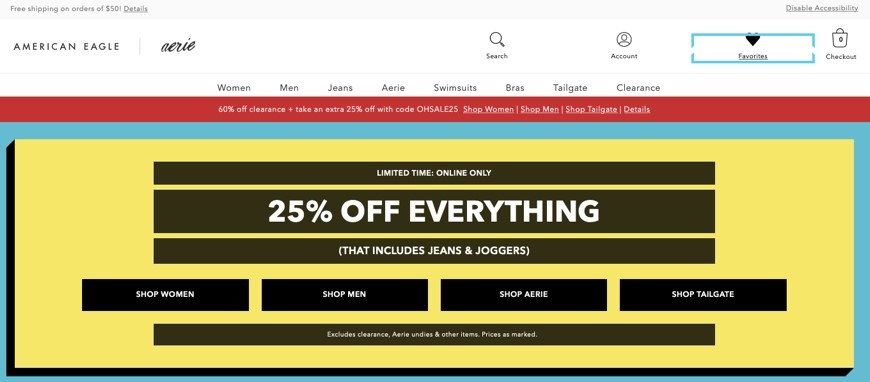
Also, note the change in color that this accessibility option makes. This allows users to easily distinguish between options and see which CTAs are clickable.
Closed Captioning and Media Text
Another major aspect of accessibility is ensuring that all media assets of your site are able to be consumed without audio. This is not just important for the hearing impaired, though. A visitor could be checking out your site in an environment where they cannot play a video with noise, for instance. If there are no captions or textual explanations, they cannot consume the content fully.
So, in addition to just having closed captioning on videos, sites also need to have additional text or voiceover explaining what is happening for visually impaired users.
For example, Netflix includes this option under their captions with Audio Description. This gives viewers a more detailed textual or audio description of what is happening.

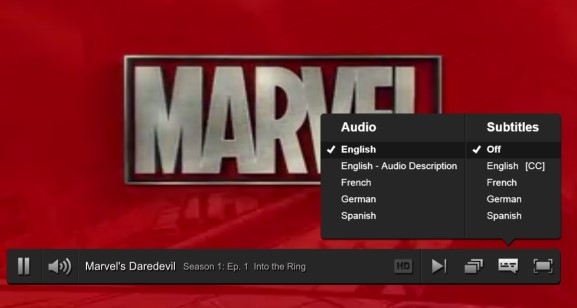
When it comes to implementing this into an e-commerce site or business website, it is important to focus on image tags, media descriptions, and Schema markups. This will provide the viewer with more details and visually impaired users can consume this content with a screen reader.
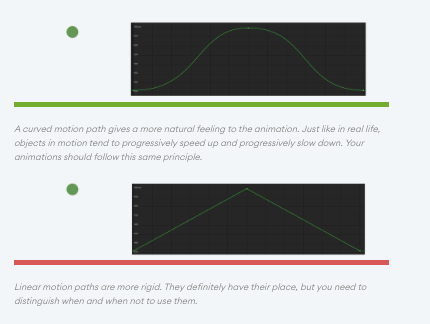
You can see how Fresh Consulting does this with image captions on their site.
Integrate Autocomplete
Entering in long forms of text can be a complicated process for disabled users. Visually impaired visitors may have a difficult time seeing what needs to be entered and typing it in, while others may need to rely on voice-enabled technology to enter in their answers.
But this can be a frustrating process for non-disabled users, too. How many times have you gotten frustrated trying to type in multiple parts of a form from your smartphone? You may have even exited without finishing due to the fact that you had to keep entering in text or repeating the same information over and over again – such as addresses or credit card information.
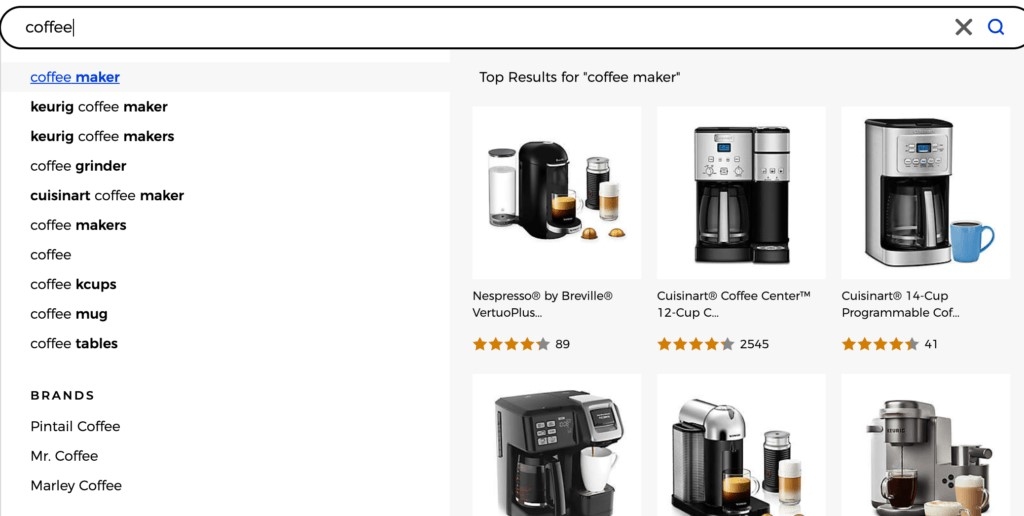
Instead, it is best to integrate autocomplete features for AI-powered accessibility. This technology uses machine learning to predict what a person will be typing while automatically filling in information. For instance, Bed Bath and Beyond’s website features intelligent autocomplete for product search suggestions.

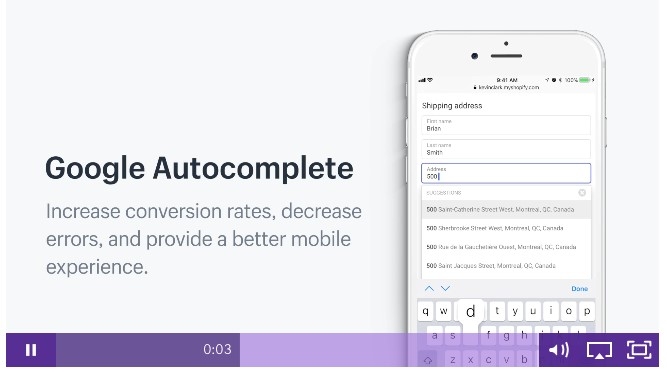
You should also be including this feature on the most important aspects of forms within your site “ like the checkout page. One easy way to expedite the process is to simply ask the customer to enter their zip code to automatically fill in state and city information.
Create an Accessibility Page
Finally, you should make it as easy as possible for users to customize their interactions on your website by choosing the accessibility options that will give them the best experience.
Obviously, not every user will require all aspects of accessibility – like large font, high contrast, keyboard navigation, or screen readers. So, allow them to adjust your website based on their needs.
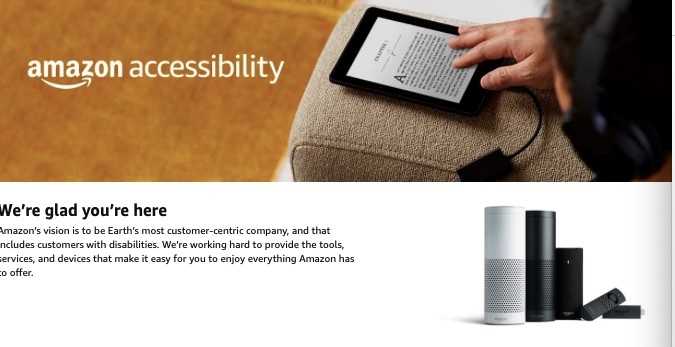
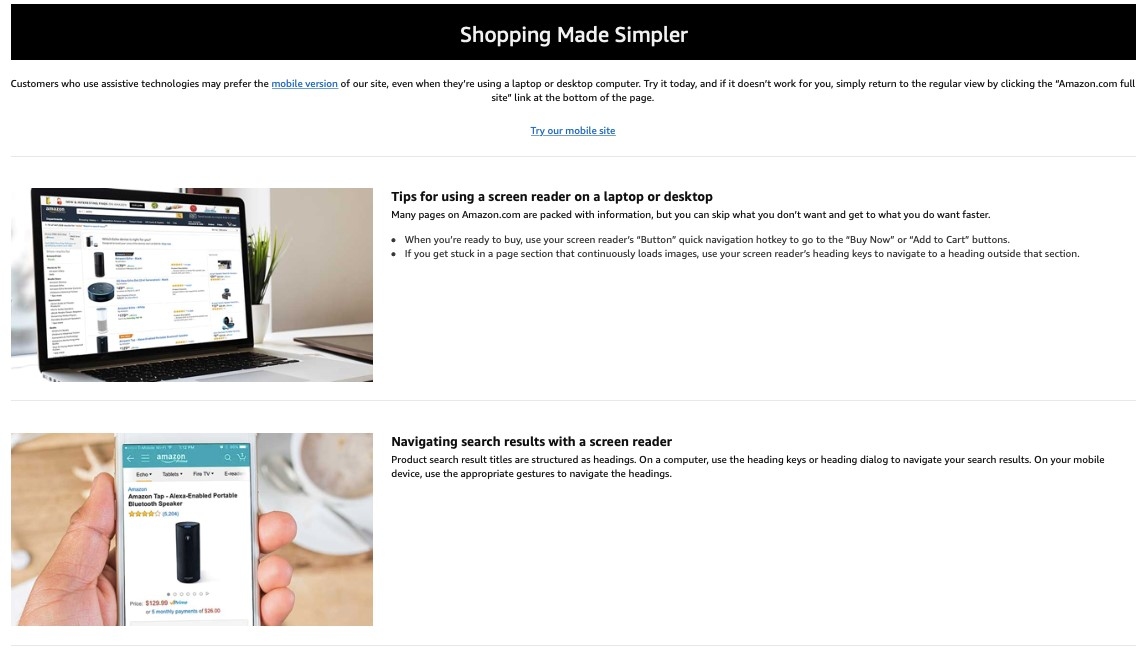
Amazon does this through their accessibility page, which allows users to choose the options they require. They also recommend additional tools, like their Kindle and Alexa products to enhance the customer experience even further with options like voice-activated browsing.


Conclusion
There is no excuse for businesses to exclude disabled users from their websites; making your site accessible is easier than ever, and even the smallest of details can make a major difference. Use these examples as an inspiration to see how your company can improve its website accessibility and stay ahead of the competition by offering a more inclusive experience for everyone.