


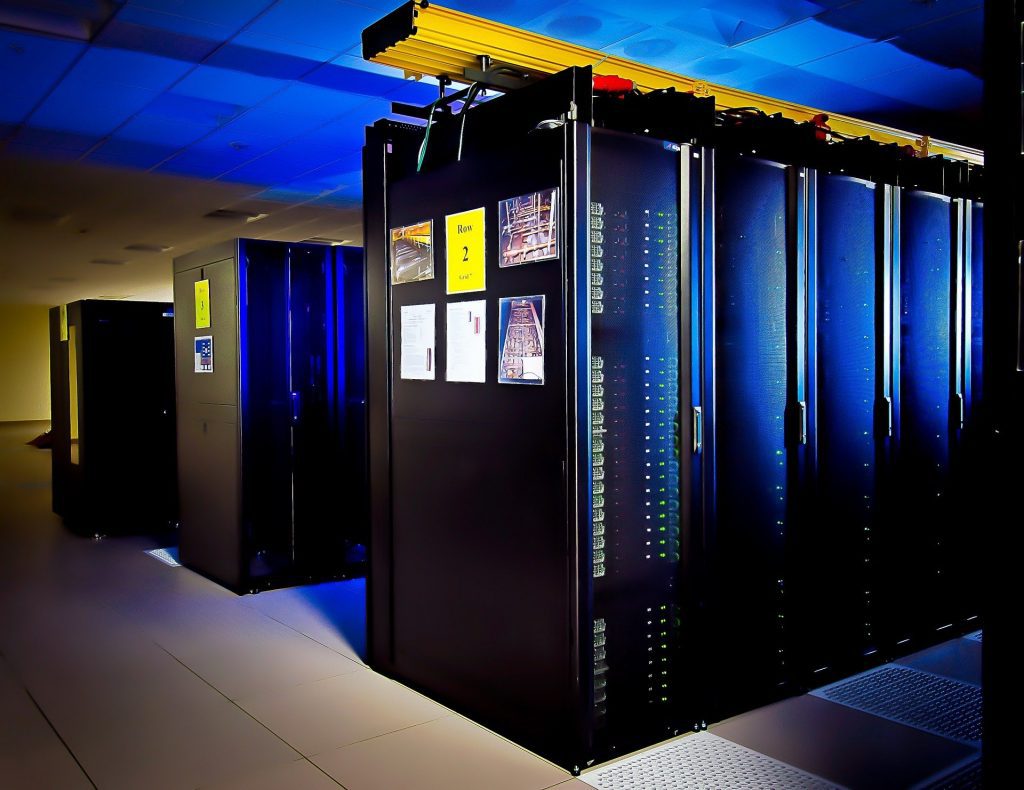
Traditionally, High-Performance Computing (HPC) systems have been restricted to on-premise deployments. These deployments have required significant upfront costs. Cost and space restrictions have made HPC inaccessible to all but the largest organizations. However, as organizations have shifted their workloads and their data to the cloud, new opportunities for HPC have developed.
The servers and networking that cloud vendors already provide can be harnessed to create cloud HPC resources. These resources are available for lease, often at a lower cost than in-house HPC, and can be accessed almost instantly. In this article, you’ll learn what HPC is and some of the ways it can be applied to big data. You’ll also learn how HPC resources are constructed in Azure and what services are available to manage your HPC deployment.
What Is HPC?
HPC is the use of aggregated clusters of servers, workstations, or Virtual Machines (VMs) to perform intensive computational tasks. In HPC, nodes (devices) work in parallel to process data. These nodes contain up to thousands of Central Processing Units (CPUs). Nodes often also include Graphical Processing Units (GPUs) which serve as co-processors and speed computational processes.
Common use cases of HPC include:
- Genomics and drug design
- Financial analyses
- Oil and Gas Simulations
- Engineering and fluid dynamics
- Training AI and Machine Learning (ML) models
HPC and Big Data
HPC can provide the computational power needed to process big data sets. It enables organizations to analyze their data and produce applicable insights for their products and operations. HPC can also enable real-time data ingestion and transformation, enabling you to more quickly access and use data.
Common applications of HPC in big data include:
-
Processing IoT data streams ‘you can categorize and summarize data in real-time. This enables researchers to more quickly use data and sets the foundation for higher-level analyses.
-
Generating simulated data ‘you can generate realistic and high-detailed datasets for training AI and ML models. Generated data does not carry the same data privacy risks as authentic data.
-
Automating analysis and visualization ‘you can automate processes simultaneously for faster results. You can also generate rich, interactive visualizations that would otherwise be limited by resource constraints.
HPC in Azure
HPC in the cloud enables you to dynamically scale resources according to your current needs. You can provision HPC resources only when needed and for any size project. Typically, organizations that use HPC in the cloud provision cores when a workload is created and spin down resources as tasks are completed. This flexibility provides freedom for organizations that would not otherwise be able to access HPC resources due to upfront costs.
Azure HPC deployments are best-suited for:
- Small, high-volume computations
- Long-running computations
- Simulations that require high amounts of memory
- Computationally intensive simulations requiring many CPUs
HPC Deployments in Azure
HPC in Azure can be deployed as an extension of on-premise deployments or used entirely in the cloud. For hybrid deployments, you can run workloads simultaneously in the cloud and on-premise. Alternatively, you can use your Azure deployment only as burst capacity for your larger workloads.
You can run workloads in massively parallel operations to speed processing time. Or, if your tasks are tightly coupled and cannot run in parallel, you can use high-speed interconnects to ensure fast processing. In Azure, you can use either InfiniBand or Remote Direct Memory Access (RDMA) to provide low-latency networking between your nodes.
When setting up your nodes in Azure, you can use either specially designed compute-intensive VMs or GPU-enabled VMs with NVIDIA GPUs. The type of node you use depends on your specific compute needs and budget.
Typical components of HPC in Azure include:
-
HPC head node ‘a VM that acts as the central managing server for your HPC cluster. It enables you to schedule jobs and workloads to your worker nodes.
-
Virtual Machine Scale Sets ‘a service that enables you to easily create thousands of virtual machines. It includes features for load balancing, autoscaling, and deployment across availability zones. Using scale sets, you can run Cassandra, Hadoop, MongoDB, Cloudera, and Mesos.
-
Virtual Network ‘a network that connects your head node to your compute and storage nodes via IP. In this network, you control the infrastructure and have granular control of traffic between subnets. You can also bring your own IP addresses and DNS servers. Virtual Network creates an isolated environment for your deployment with secure connections provided via IPsec VPN or ExpressRoute.
-
Storage ‘options include file, disk, and blob storage. You can also use Data Lake or hybrid storage solutions. To improve storage performance, you can add the Avere vFXT service. This service enables you to run file system workloads with low latency via an intelligent cache feature.
-
Azure Resource Manager ‘enables you to use templates or script files to deploy your applications to the HPC configuration. It is the standard resource management tool you use in Azure.
Managing HPC Deployments in Azure
There are several services available from Azure to help you manage your HPC deployments. These are native services so they integrate smoothly with other Azure services you are using and come with Azure support.
Azure Batch
Azure Batch is a managed service for HPC applications. To use Batch, you configure your VM pool and upload workloads. Batch then handles the provisioning of VMs, assigning and running tasks, and monitoring progress. Through Batch, you can autoscale your deployment and set policies for job scheduling.
Microsoft HPC Pack
HPC Pack enables you to administer your VM cluster and schedule and monitor jobs. With HPC Pack, you are responsible for provisioning and managing VMs and network infrastructure. HPC Pack is useful for existing, on-premise HPC workloads that you want to move to the cloud. You can either move these workloads completely or use HPC Pack to manage a hybrid deployment.
Azure CycleCloud
Azure CycleCloud enables you to use any scheduler to:
- Manage your workloads
- Orchestrate job, data, or cloud workflows
- Specify access controls via Active Directory
- Customize clusters via policy and governance features
Schedulers that CycleCloud integrates with include Slurm, Grid Engine, HPC Pack, and Symphony.
Conclusion
The ability to run big data workloads at scale is crucial for many organizations. HPC in Azure can enable you to run workloads from a unified platform and reduce upfront resource costs. It can be particularly cost-effective for organizations that only occasionally run HPC workloads as you only pay for resources during use.
Hopefully, this article helped you understand how you can run HPC workloads in Azure. Using the services introduced here, you can create your first HPC deployment or refine existing deployments.